
Subtotal ¥0.00
Discover key medical device security and cybersecurity considerations for medical wristband printers to protect PHI and strengthen hospital networks
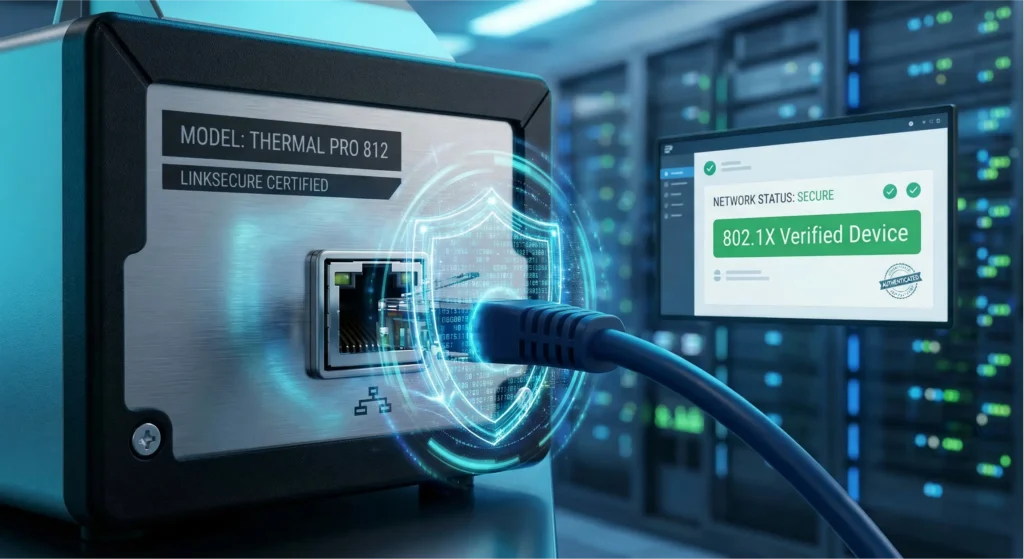
Are you struggling to lock down every single endpoint in your hospital’s growing IoT ecosystem?
Securing your hardware is the difference between safeguarding protected health information and suffering a devastating network breach.
As experts in the field, we know that comprehensive medical device security goes far beyond your central servers and MRI machines.
You might already know that ransomware attackers look for the absolute easiest entry point into a network…
But did you know that the seemingly harmless device sitting right at your admission desk is often their prime target?
In this post, you’re going to learn exactly how to navigate the critical cybersecurity considerations for medical wristband printers, step by step.
Some of these vulnerabilities are well-known.
Others are complete IT blind spots.
But they are all here, along with the exact strategies you need to harden your network, protect your patients, and ensure compliance.
Let’s dive right in.
Why Hackers Target Medical Wristband Printers
When we think about cybersecurity in a hospital, we usually picture firewalls around the main server room or complex passwords for doctors’ tablets. But there is a quiet, often overlooked device sitting on almost every nursing station counter: the medical wristband printer. We often treat these devices as simple tools—just plastic boxes that spit out labels—but to a hacker, they look like an open door.
The IoT Blind Spot in Hospital Networks
The biggest issue we face is visibility. In the rush to digitize patient care, we have connected thousands of devices to hospital networks. While servers and laptops get rigorous security audits, thermal printers often fall into an “IoT blind spot.” They are frequently deployed with default factory settings, unpatched firmware, and zero monitoring. Because they are “just printers,” IT teams might not prioritize them, leaving them as soft targets that sit quietly on the same network as critical life-support systems.
Lateral Movement: Using Printers to Reach EHR Systems
Why would anyone hack a printer? It’s rarely about the printer itself. Attackers use these devices as a foothold for lateral movement. Once a hacker compromises a networked printer, they are inside the firewall. From that vantage point, they can scan the internal network for more valuable targets, such as the Electronic Health Record (EHR) system. The printer becomes a trusted device launching attacks on the rest of the infrastructure, bypassing many perimeter defenses that are designed to keep external threats out, not internal ones.
The PHI Data Payload: What Hackers Actually Steal
It is a misconception that printers don’t hold data. Modern thermal printers have memory buffers and storage capabilities. If a print job is intercepted or if the memory isn’t cleared, the device itself can hold a cache of Protected Health Information (PHI).
When hackers target these devices, they are looking for the “payload” that flows through them every day:
- Patient Names and Dates of Birth: The core data needed for identity theft.
- Medical Record Numbers (MRN): Unique identifiers that link patients to their entire medical history.
- Treatment Details: Specific medication or allergy information often printed on wristbands.
Securing these endpoints isn’t just about keeping a printer running; it’s about closing a backdoor that leads directly to your patients’ most sensitive data.
Key Vulnerabilities in Thermal Printing Hardware
When we talk about medical device security, the humble thermal printer is often the most overlooked piece of hardware in the room. We tend to focus on servers and workstations, but these endpoints are frequently shipped with wide-open doors that hackers are eager to exploit. If we don’t lock down the hardware itself, we are leaving a massive gap in our defense.
Unsecured Network Protocols
Out of the box, many printers are chatty. They often come with legacy protocols like Telnet, FTP, and HTTP enabled by default. These are relics of a time before modern cybersecurity threats, and they transmit data in clear text. Leaving these active allows attackers to easily intercept communications or gain unauthorized command-line access to the device configuration.
Data in Transit Risks
Wireless convenience often trumps security in busy hospitals. However, unencrypted Wi-Fi printing is a critical vulnerability. If print jobs containing sensitive patient names and IDs are sent over the air without strong encryption (like WPA2/3 Enterprise), anyone with a basic packet sniffer in the lobby can capture that PHI data payload.
Data at Rest: The Memory Buffer Problem
We rarely think of printers as storage devices, but they are. Data at rest risks occur because thermal printers utilize volatile memory (RAM) and sometimes non-volatile flash storage to process print jobs.
- Volatile Memory: If a reprint function is active, the last printed wristband’s data might sit in the buffer, retrievable by anyone with physical access.
- Flash Storage: Some devices store templates or logs that can inadvertently retain patient information long after the patient has been discharged.
Physical Access Dangers
In a bustling ER or waiting room, the printer is often sitting right on a counter. Physical access dangers are real. An attacker doesn’t need complex code if they can simply walk up to a device, plug in a malicious USB drive, or reset the printer to factory defaults to bypass network security settings.
The Hidden Risk of Neglected Firmware
Finally, there is the issue of maintenance. Unlike PC operating systems that update automatically, printer firmware is often manual and forgotten. Neglected firmware updates mean that known vulnerabilities—patched by the manufacturer months ago—remain active on your network, waiting to be exploited. Keeping the firmware current is just as vital as patching your servers.
Regulatory Landscape: HIPAA and FDA Compliance
When we talk about medical device security, we aren’t just talking about keeping hackers out; we are talking about following the law. Ignoring the regulations surrounding medical wristband printers isn’t an option—it’s a liability.
HIPAA Security Rule: Physical and Technical Safeguards
Under the HIPAA Security Rule, any device that touches Protected Health Information (PHI) falls under strict scrutiny. Many hospitals forget that a printer is an endpoint just like a laptop. If your printer retains a patient’s name and medical record number in its memory buffer, or if it transmits that data over an unencrypted network, you are technically handling electronic PHI (ePHI).
To stay compliant, you need to address two main areas:
- Physical Safeguards: You can’t leave a printer sitting in a public hallway where anyone can walk off with a printed wristband. Access control is mandatory.
- Technical Safeguards: This involves network security. Are you using TLS encryption for print jobs? If the data traveling from the EHR system to the printer isn’t encrypted, you are failing the technical safeguard requirements.
FDA Cybersecurity Guidance for Medical Devices
The FDA has been ramping up its focus on medical device cybersecurity. While a printer might seem like a peripheral, modern smart printers are increasingly viewed through the lens of connected medical devices. The FDA’s guidance emphasizes “security by design.”
This means you shouldn’t be patching security holes after you buy the equipment; the device should be secure out of the box. We look for manufacturers who actively monitor for vulnerabilities and provide a clear Software Bill of Materials (SBOM) so we know exactly what software components are running inside the hardware. If a printer vendor cannot tell you how they handle vulnerability disclosure, they aren’t meeting modern standards.
How Consumables Play a Role in Identity Security
It sounds strange to link paper and ink to cybersecurity, but patient identification system security relies heavily on the physical wristband. If the print fades, smears, or falls off, the digital security measures don’t matter because the physical link to the patient is broken.
Using high-quality, durable consumables ensures that the barcode remains scannable throughout the patient’s stay. A faded barcode forces nurses to use manual workarounds, which often bypass security protocols and increase the risk of medical errors. HIPAA compliance isn’t just about the digital network; it extends to ensuring the physical identifier—the wristband itself—remains legible and secure.
Best Practices for Hardening Printer Security
Securing your print infrastructure isn’t just about buying the right hardware; it’s about how you configure it. When we look at medical device security, specifically for thermal printers, we have to adopt a “zero trust” mindset. These devices are often the most overlooked endpoints in a hospital, yet they sit right in the middle of sensitive workflows.
Here is how we lock down these devices to ensure robust Cybersecurity Considerations for Medical Wristband Printers are met:
- Network Segmentation (VLANs): Never place your wristband printers on the same network segment as your general office traffic or, worse, the guest Wi-Fi. We must isolate these devices on their own Virtual Local Area Network (VLAN). This limits “lateral movement.” If a printer is compromised, the attacker is stuck in a small sandbox and cannot easily jump to the main Electronic Health Record (EHR) server.
- Strong Authentication (WPA3 & 802.1x): Old security standards don’t cut it anymore. We need to implement WPA3 for wireless connections to ensure robust encryption. Furthermore, utilizing 802.1x authentication acts as a digital bouncer—it ensures that only authorized printers can connect to the network port, preventing rogue devices from being plugged in.
- TLS/SSL Certificates: Most modern thermal printers have a web-based management console. If you are accessing this over plain HTTP, your credentials are exposed. We must manage and install valid TLS/SSL certificates so that all administration traffic is encrypted via HTTPS.
- Password Hygiene: This sounds basic, but it is the most common failure point. We must kill default credentials immediately. Leaving a printer with the factory “admin/admin” login is an open invitation for a breach. Every device needs a unique, complex password.
- Port Management: If a physical port isn’t being used, it shouldn’t be active. We should disable unused USB, Telnet, FTP, and auxiliary ports at the firmware level. Reducing the attack surface is the quickest win in medical device security.
The LinkWin Approach to Secure Patient ID
When we talk about patient identification, we often focus solely on the wristband itself—is it durable? Is it scannable? But at LinkWin, we understand that true security starts long before the wristband is printed. Our approach to medical device security isn’t just about selling a product; it’s about integrating into a secure ecosystem that protects patient data from start to finish.
Holistic Security: Beyond Just the Network
Many suppliers treat security as an IT problem. We treat it as a patient safety issue. While network hardening is crucial, we look at the entire lifecycle of patient identification. This means ensuring that the physical media—the wristbands themselves—are designed to work flawlessly with high-security protocols. A secure network means nothing if the output is illegible or easily tampered with. We focus on providing solutions that support the integrity of the Protected Health Information (PHI) being printed, ensuring that the physical link between the digital record and the patient remains unbreakable.
Compatibility with Secure Printer Brands
We don’t build the printers, but we make sure our products work perfectly with the ones that set the standard for security. Our thermal wristbands are engineered for full compatibility with industry leaders like Zebra and Brother. These brands are at the forefront of medical device cybersecurity, offering features like TLS encryption and secure boot processes. By ensuring our consumables are optimized for these secure platforms, we help hospitals maintain a closed, secure loop. You don’t have to downgrade your hardware security settings just to get a wristband to print correctly; our products support the high-performance, secure configurations these top-tier printers offer.
Supply Chain Security for Medical Consumables
Security vulnerabilities aren’t always digital; sometimes they enter through the loading dock. Supply chain attacks are a growing concern in healthcare. We maintain rigorous control over our manufacturing and distribution processes to ensure supply chain security. When you receive a box of LinkWin wristbands, you can be confident they haven’t been tampered with or compromised. We prioritize transparency and traceability, ensuring that the consumables entering your facility meet the same high standards of safety and reliability as the medical devices printing on them. This reduces the risk of counterfeit products that could fail at critical moments or compromise your patient identification system security.
Frequently Asked Questions
Do thermal wristband printers store patient data?
Yes, they often do, and this is a critical oversight in medical device security. While these devices aren’t designed to be permanent storage, the memory buffers used to process print jobs can retain Protected Health Information (PHI) until the device is power-cycled or the memory is overwritten. If a hacker accesses the printer’s RAM, they can potentially scrape the last few wristband images printed, stealing patient names and medical record numbers.
How often should we update printer firmware?
We recommend checking for updates at least quarterly or whenever the manufacturer releases a security patch. Printer firmware update management is often the most neglected part of hospital IT hygiene. Running outdated firmware leaves known vulnerabilities wide open, giving attackers an easy exploit path. Just like your servers and workstations, your IoT endpoints need regular patching to stay compliant and secure.
Can a printer really cause a hospital-wide ransomware attack?
Absolutely. A compromised printer rarely stays the final target; it serves as a bridge. Attackers use unsecured printers for lateral movement within the network. Once they compromise the printer, they can use it to scan for other vulnerabilities, eventually reaching the Electronic Health Record (EHR) system or deploying ransomware across the wider hospital network.
What is the difference between physical and network printer security?
Network printer security focuses on closing digital doors—disabling insecure protocols like Telnet, using TLS encryption, and implementing network segmentation. Physical security, on the other hand, deals with the hardware itself. This includes preventing unauthorized access to USB ports in busy waiting rooms and ensuring that media (wristbands) cannot be stolen and used to forge identities. Both are essential for a holistic security strategy.
