
Subtotal ¥0.00
Secure hospital VLANs by isolating thermal printers from clinical core systems with expert network segmentation and HIPAA-compliant cybersecurity guidance.
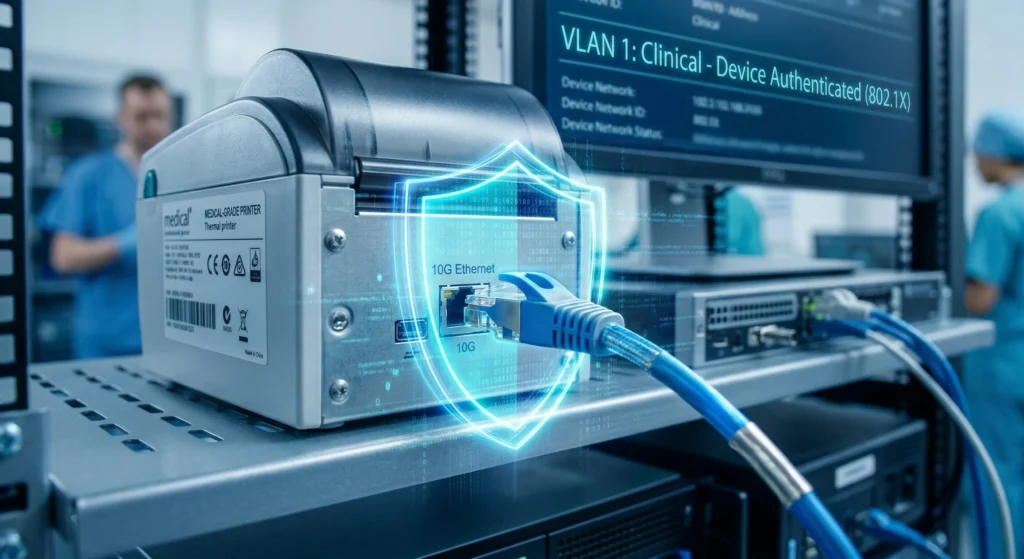
Understanding the Risks: Why Thermal Printers Pose a Threat
Thermal printers are a critical part of hospital workflows, especially for printing patient wristbands, labels, and medication tags. However, these seemingly mundane devices introduce significant vulnerabilities to the hospital network segmentation strategy. Many networked thermal printers come with common security weaknesses, such as:
- Default credentials that remain unchanged after installation.
- Outdated firmware lacking recent security patches.
- Unpatched operating systems or embedded software prone to exploitation.
These vulnerabilities create an easy entry point for attackers aiming to gain unauthorized access. Once compromised, printers can serve as a springboard for lateral movement within clinical networks, putting core systems containing Electronic Health Record (EHR) data and other sensitive clinical applications at risk.
The consequences of such breaches are serious. A compromised thermal printer can disrupt critical hospital functions like patient identification and medication administration, leading to errors or delays that directly impact patient safety. Worse, unauthorized access through these devices can expose Protected Health Information (PHI), violating HIPAA’s stringent requirements.
To address these risks, hospitals must adhere to recognized frameworks such as NIST SP 800-82, which provides guidance on securing operational technology (OT) networks, and comply with HIPAA’s technical safeguards for data confidentiality and integrity. Understanding the threat landscape created by insecure thermal printers is the first step toward implementing effective network and printer isolation strategies that protect the clinical core and ensure seamless healthcare delivery.
Core Principles of Network Segmentation in Hospitals
Hospitals face unique challenges when it comes to network security. Understanding how hospital network segmentation works is key to protecting sensitive areas like the clinical core from threats, especially from devices like thermal printers.
Flat Networks vs. Segmented Architectures
Flat networks treat all devices as equals, sharing the same network space. This means a problem anywhere can quickly spread everywhere—bad news for clinical systems and EHRs.
In contrast, segmented architectures divide the network into zones, separating IT systems (like administrative tools) from OT or clinical systems (such as medical devices and EHR servers). This isolation limits exposure and controls traffic flow.
| Feature | Flat Network | Segmented Network |
|---|---|---|
| Traffic Isolation | None | Strong (via VLANs, firewalls) |
| Risk of Lateral Movement | High | Low |
| Performance Impact | Can be Heavy | Improved due to controlled traffic |
| Compliance Fit | Poor (HIPAA/NIST) | Better alignment with standards |
Benefits of VLANs in Healthcare
VLANs are essential in segmenting hospital networks. Here’s why:
- Contain Breaches: If one device or VLAN is compromised, the attack can’t spread easily.
- Reduce Attack Surface: Critical systems are hidden away behind VLAN barriers.
- Boost Network Performance: Traffic is localized, reducing unnecessary load.
Key Hospital Network Zones
To protect clinical services, networks are typically divided into these zones:
| Zone | Description | Example Devices |
|---|---|---|
| Clinical Core (High-Trust) | Houses critical EHR systems, monitors, vital devices | EHR servers, clinical workstations |
| Administrative | Office and management systems | HR systems, billing software |
| Guest | Limited access for visitors | Guest Wi-Fi networks |
| IoT/Biomedical | Includes printers, medical devices, IoT tools | Thermal printers, biometric devices, monitors |
Separating thermal printers into the IoT/Biomedical VLAN keeps them away from high-trust clinical zones, cutting off easy paths for attackers to reach sensitive EHR systems.
Proper VLAN isolation healthcare helps block lateral movement — a common tactic hackers use in hospital networks. This means clinical network protection starts with firm boundaries, not just firewalls.
By segmenting wisely, we minimize the risk of network-based attacks and better comply with HIPAA and NIST guidelines, keeping patient data safe without disrupting hospital workflows.
Step-by-Step Technical Guide to Isolating Thermal Printers
Securing the hospital VLAN starts with isolating thermal printers effectively. Here’s how to do it right to protect your clinical core from unnecessary risks and keep the network clean.
1. Assess the Current Network Topology
- Map printer locations across wards and departments.
- Identify IP address ranges assigned to these printers.
- Check if printers have direct links to critical clinical systems (EHR, monitors, medication dispensers).
2. Design a VLAN Structure
| VLAN Zone | Purpose |
|---|---|
| Thermal Printer VLAN | For all thermal printers and print servers |
| Clinical Core VLAN | Hosts EHR systems, patient monitors, critical medical devices |
| DMZ-like Zone | Print servers acting as intermediaries |
- Create a dedicated VLAN for printers to separate them from clinical core devices and critical infrastructure.
- Keep clinical core VLANs isolated, minimizing direct access.
- Use firewall zones to control how these VLANs communicate.
3. Implement VLAN Configuration on Network Switches
- Assign printer ports to the printer VLAN on Cisco, Aruba, or similar switches.
- Configure trunking and VLAN tagging for switches connecting multiple VLANs.
- Proper port assignment ensures printers don’t leak into high-trust clinical zones.
4. Enforce Access Control Policies
- Apply ACLs (Access Control Lists) and firewall rules to limit outbound printer VLAN traffic strictly.
- Only allow necessary print protocols like IPP (Internet Printing Protocol) or RAW to print servers.
- Block any attempts from the printer VLAN to initiate connections to the clinical core VLAN.
- Force all printer communication through print servers in a controlled DMZ zone for added security.
5. Secure Print Workflows
- Use secure printing protocols such as IPPS (IPP Secure) to encrypt data between printers and servers.
- Have print servers act as intermediaries to monitor and control print jobs.
- Implement role-based access ensuring only authorized staff can send print jobs.
By following this step-by-step guide, you can minimize printer-related risks and bolster your hospital’s clinical network protection. Isolating thermal printers keeps the attack surface limited and maintains smooth, secure operations critical for patient care.
Advanced Security Measures for Printer Isolation
To truly secure thermal printers in a hospital network, basic VLAN isolation isn’t enough. You need to go deeper with strong advanced security measures tailored for hospital network segmentation and biomedical device cybersecurity.
Firmware Hardening and Patch Management
- Keep thermal printer firmware up to date—outdated firmware is a common weak spot hackers exploit.
- Apply patches promptly to fix vulnerabilities and close doors on attackers targeting printer firmware or OS.
- Check regularly for vendor updates, especially for devices like Zebra or LinkWin thermal wristband printers.
Network Monitoring and Anomaly Detection
- Integrate printer traffic into your SIEM (Security Information and Event Management) system. This helps spot unusual communication patterns early.
- Watch for spikes in printer data, strange outbound connections, or unexpected protocol use—these could signal a breach or lateral movement attempt.
- Monitoring this way tightens clinical network protection and reduces hospital IoT blind spots.
Zero-Trust Elements
- Use device profiling to verify printer identity continuously—don’t assume they’re safe just because they’re plugged in.
- Apply continuous authentication so printers must prove their legitimacy dynamically.
- Implement micro-segmentation to restrict each device’s network access strictly to what’s necessary. This helps prevent lateral movement prevention healthcare by limiting how far an attacker can travel.
Integration with Network Access Control (NAC)
- Incorporate NAC to automatically detect and quarantine unauthorized printers or devices that try to connect.
- NAC strengthens process compliance and ensures only trusted printers join your printer VLAN or hospital IoT zones.
Handling Wireless Printers
- Wireless thermal printers should have their own separate SSID and VLAN, fully isolated from the clinical core and sensitive EHR system segmentation.
- Use WPA3-Enterprise encryption for secure authentication and data protection over the wireless network.
- This approach blocks unauthorized access and keeps wireless printer traffic from becoming a risky hospital IoT blind spot.
Following these advanced measures ensures your printer network isolation is robust, aligned with key hospital cybersecurity standards like HIPAA network security, and closes gaps that could otherwise lead to breach risk or clinical disruptions.
Compliance and Best Practices Alignment
When securing thermal printers in a hospital VLAN, aligning with regulatory standards is essential. The HIPAA Security Rule requires technical safeguards like strict access control and data integrity measures to protect patient information on printers connected to clinical networks. Ensuring that only authorized users and systems can access these devices helps keep Protected Health Information (PHI) safe.
We also follow guidelines from NIST SP 800-82, which provides best practices for operational technology (OT) security, and standards set by the Joint Commission. The HITECH Act reinforces these requirements by promoting secure electronic health records (EHR) and protecting health data during network segmentation efforts.
Auditing and logging printer-related events is key for incident response. Capturing detailed logs of print jobs, access attempts, and network activity helps detect potential breaches early and supports thorough investigations if issues arise.
Finally, testing isolation through regular penetration testing and vulnerability assessments confirms that printer VLANs are properly segmented. Validating that no lateral movement is possible from printers to the clinical core ensures the hospital network segmentation effectively reduces risk and protects critical clinical systems.
Implementation Challenges and Solutions in Securing the Hospital VLAN
When isolating thermal printers in a hospital network, there are some common hurdles to watch out for, but with the right approach, these issues can be smoothly managed.
Over-Restrictive Rules Can Slow Down Printing
One of the biggest challenges is setting firewall rules or VLAN restrictions too tight. This can cause delays in printing wristbands or labels, disrupting clinical workflows. To avoid this:
- Keep print protocols (such as IPP or RAW) allowed only between printers and authorized print servers.
- Test access control rules in stages before full deployment, so you don’t accidentally block needed traffic.
- Work closely with clinical staff to understand real-time printing needs during rollout.
Legacy Printer Compatibility and Phased Rollouts
Older thermal printers (common in many hospitals) might not support newer security features or VLAN tagging. Instead of ripping these out immediately:
- Plan a phased rollout where legacy devices operate temporarily with additional controls (e.g., isolated physical ports).
- Prioritize newer or critical printers for VLAN isolation first.
- Coordinate with IT and biomedical teams to replace or upgrade devices on a manageable schedule.
Cost Considerations and Evaluating ROI
Implementing printer VLAN isolation involves upfront costs—hardware upgrades, configuration time, and ongoing monitoring. But the return on investment is clear:
- Reduced risk of breaches through lateral movement.
- Lower chance of disruption to patient processes like medication or EHR access.
- Meeting HIPAA and NIST compliance avoids costly fines.
Justifying the cost means highlighting security gains alongside improved network performance and patient safety.
Vendor-Specific Tips for Thermal Printer Security
Some printer brands have unique features or quirks that affect VLAN isolation strategies:
- Zebra thermal printers usually support firmware updates and secure printing protocols—make sure these are applied early.
- LinkWin thermal wristband printers used in patient ID often require dedicated VLANs with strict access controls but may need tailored network settings due to proprietary communication methods.
Working with vendors to align their products to your hospital’s VLAN isolation plan ensures smoother integration and security.
By preparing for these challenges with thoughtful policies, staged implementation, and vendor collaboration, securing thermal printers through VLAN isolation becomes both manageable and effective in protecting critical hospital networks.
