
Subtotal ¥0.00
Ensure HIPAA compliance for printers with secure print workflows safeguarding ePHI beyond the screen in healthcare environments.
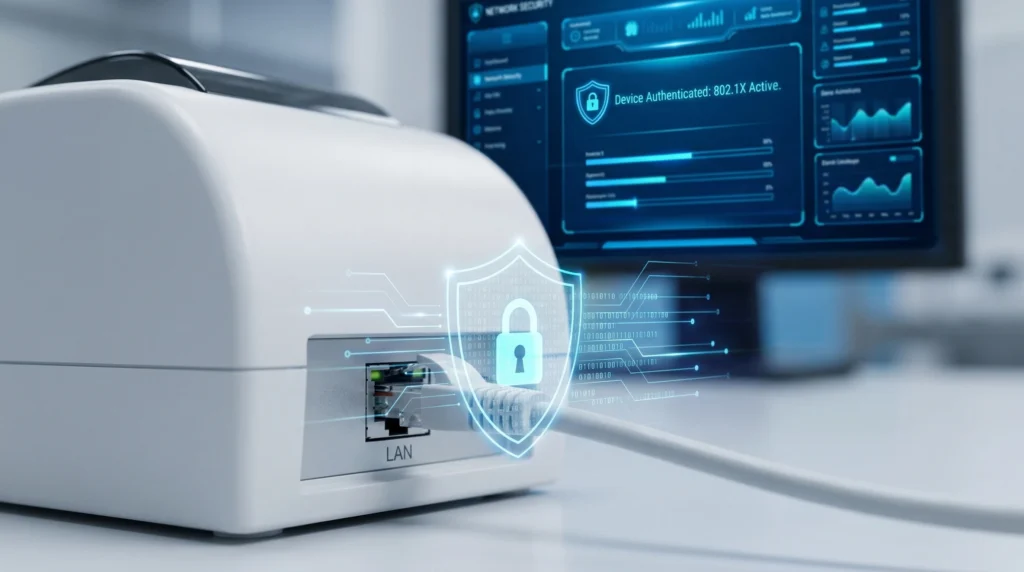
When a nurse prints patient wristbands or labels containing sensitive information like medical record numbers, the risk to ePHI doesn’t stop at the screen. In fact, HIPAA compliance for printers is one of the most overlooked areas in safeguarding patient data. From unsecured print queues to residual data on device hard drives, print workflows create vulnerabilities that threaten the privacy of electronic protected health information. This guide dives into how to protect PHI in printing, implement secure print release, and ensure your entire print lifecycle meets HIPAA’s strict standards. Ready to move beyond digital defenses and secure every step of your healthcare printing processes? Let’s dive in.
Understanding ePHI Risks in Printing Workflows
Electronic Protected Health Information (ePHI) includes any patient data stored, transmitted, or processed electronically that can identify an individual’s health condition. In many healthcare settings, ePHI enters print workflows when medical records, lab results, prescriptions, and patient IDs move from digital systems into physical form.
Printing introduces several vulnerabilities:
- Data transmission: Unencrypted print jobs sent over networks can be intercepted.
- Printer storage: Some printers store copies of print jobs on internal hard drives.
- Queued jobs: Print queues may hold sensitive documents accessible to unauthorized users.
- Output trays: Printed ePHI left unattended is prone to unauthorized viewing or theft (shoulder surfing).
- Disposal: Improper disposal of printed materials or printer storage media can expose data.
These vulnerabilities pose real risks, including:
- Data remanence: Residual data on printer drives after printing.
- Shoulder surfing: Unauthorized viewing of printed or on-screen content.
- Misdirected print jobs: Sending patient records to wrong printers or users.
- Unsecured multifunction printers (MFPs): Breaches through unsecured scanning, faxing, or copying functions.
Failure to safeguard printed ePHI can lead to HIPAA violations. Enforcement actions have imposed hefty penalties for incidents such as lost printouts, unsecured print queues, or exposed medical record numbers. Protecting ePHI in print workflows is a critical, yet often overlooked, component of comprehensive HIPAA compliant printing strategies.
HIPAA Requirements Relevant to Printing
When it comes to HIPAA compliant printing, understanding the rules around ePHI is crucial. These laws don’t just apply to screens—they extend fully into your print workflows.
Key HIPAA Rules Impacting Print
| HIPAA Rule | What It Means for Printing | Main Focus Areas |
|---|---|---|
| Privacy Rule | Use the minimum necessary information in prints. | Limit data on printouts to what’s needed. |
| Protect against incidental disclosures. | Secure printed ePHI from accidental exposure. | |
| Security Rule | Enforce safeguards for admin, physical, technical. | Encryption, access controls, audit logs for print jobs. |
Remember, no printer comes “HIPAA-certified.” Compliance depends on how you configure devices and manage risks at every step.
What to Focus on in Print Workflows
- Encryption: Protect ePHI in transit and at rest on printer hard drives.
- Access Controls: Use secure print release and authentication to stop unauthorized access.
- Audit Trails: Keep detailed records of print jobs—who printed what and when.
- Physical Safeguards: Lock down printers and control access to printed materials.
Recent Updates
HIPAA guidance has sharpened focus on ePHI cybersecurity—meaning print workflows now get closer attention. This puts a spotlight on using secure multifunction printers and pull printing healthcare solutions to keep PHI safe.
Keeping these HIPAA compliance basics in print processes ensures you protect patient data every step of the way.
Building a Secure Print Workflow – Step-by-Step Framework
To protect ePHI in printing, you need a clear, secure print workflow. Here’s how to build one step-by-step:
1. Print-Specific Risk Assessment
- Inventory Devices: List all printers, multifunction printers (MFPs), and print-related hardware.
- Map ePHI Flow: Track where ePHI enters, moves through, and leaves the print system.
- Identify Gaps: Find weak spots that may expose PHI, like unsecured print queues or shared printers.
2. Technical Safeguards
| Safeguard | Description | Benefits |
|---|---|---|
| Encryption in Transit | Protect data sent from computer to printer | Stops interception risks |
| Encryption at Rest | Secure stored data on printer hard drives | Prevents data remanence |
| Secure Print Release | Jobs print only when user authenticates | Reduces misdirected printouts |
| Pull Printing | Print on-demand from any authorized device | Limits printed PHI exposure |
| User Authentication | Passwords, badges, biometric login | Ensures only authorized access |
3. Access Controls
- Role-Based Permissions: Assign print rights based on job roles.
- Least Privilege Principle: Users get minimum access needed to do their work.
4. Audit and Logging
- Track every print job with:
- User IDs
- Timestamps
- Document details
This helps with HIPAA audit trails and spotting unauthorized access to printed PHI.
5. Device Hardening
- Disable unnecessary features (e.g., wireless, USB ports if not needed)
- Keep firmware and software updated to patch security holes
- Use secure erase functions to wipe printer memory regularly
By following these steps, you create a strong foundation for HIPAA compliant printing that safeguards ePHI effectively across your print workflows.
Special Considerations for Patient Identification Printing
When it comes to printing patient identification like wristbands and labels, we’re dealing with sensitive ePHI that directly ties to individuals. Thermal wristbands and labels often carry a PHI data payload—think medical record numbers or patient details—so they need extra care.
Risks with Thermal Wristbands and Labels
- Data exposure: Printed PHI can be seen by unauthorized eyes if wristbands or labels aren’t securely handled.
- Tampering: Without tamper-evident features, bands can be swapped or altered, risking patient safety.
- Unencrypted data: Printing without encrypted data streams increases chances of interception during printing.
Best Practices to Protect PHI in Printing
- Integrate secure print release with patient admission workflows to ensure wristbands print only when needed and are handed off securely.
- Use tamper-evident materials that show clear signs if altered.
- Ensure the printing process encrypts ePHI data streams to prevent unauthorized capture.
- Train staff on minimum necessary printing of PHI to reduce exposure risks.
Why LinkWin Thermal Wristbands Stand Out
LinkWin’s thermal wristbands are designed with healthcare in mind. They’re durable and scannable, making patient identification reliable and efficient. Plus, their systems support secure print-to-patient processes, aligning with HIPAA compliant printing and safeguarding sensitive PHI at every step.
By using trusted products like LinkWin combined with strong workflow controls, facilities can better protect patient data in the printing stage—going beyond screen security to truly secure healthcare print security.
Physical and Administrative Safeguards for HIPAA Compliant Printing
Keeping ePHI safe isn’t just about digital security—it extends to the physical and administrative steps around your printers. Here’s how we stay on top of protecting PHI in printing:
Secure Printer Placement
- Place printers in locked rooms or secured areas with limited access to prevent unauthorized access.
- Use secure multifunction printers (MFPs) where possible, positioned in supervised zones to reduce risks like shoulder surfing or unattended printouts.
Output Management
- Make sure printed documents with ePHI are retrieved immediately from the printer to avoid data exposure.
- Use secure trays that only authorized staff can access.
- Shred misprints, discard securely, and never leave sensitive printouts lying around. This reduces the risk of unauthorized access to printed PHI.
Workforce Training
- Conduct annual training sessions focusing on the risks around printing ePHI.
- Emphasize reporting protocols for lost or misdirected documents.
- Train staff to apply the HIPAA minimum necessary standard when printing—only print what’s absolutely needed.
Vendor Management
- For print service providers handling ePHI, ensure Business Associate Agreements (BAAs) are in place.
- Monitor vendor compliance regularly, including how they manage sensitive print workflows.
- This oversight helps prevent breaches through third-party printing services.
Following these physical and administrative safeguards builds a strong line of defense for HIPAA compliant printing and protects patient data throughout the print workflow.
Monitoring, Auditing, and Continuous Improvement in HIPAA Compliant Printing
Keeping your print workflows HIPAA compliant means you can’t set it and forget it. Regular audits of print logs and workflows are essential. These help catch any unusual activity or unauthorized access to printed ePHI before it turns into a breach. Make sure you review HIPAA audit trails printing routinely, checking user IDs, timestamps, and print job details for anything suspicious.
Have an incident response plan ready specifically for print-related breaches. This means having clear steps for identifying, containing, and reporting incidents involving printed PHI data payloads. Quick action helps reduce penalties and safeguard patient information.
Centralized print management tools make oversight easier by bringing all your printers and multifunction devices under one roof. These tools provide real-time tracking, enforce secure print release processes, and help maintain printer hard drive security.
Lastly, always stay updated on the latest guidance from HHS and changes in HIPAA regulations. Healthcare technology and threats evolve fast—keeping your policies and tech aligned is key to protecting patient data print workflows and avoiding costly violations.
